Product tour
See who's in, walk over and talk.
Virtual Office is a map of your team. Everyone has a place on it. Being near someone is how a conversation starts, and walking away is how it ends. Here is how each part works.
Free for 30 days. No card needed.
Proximity audio
Walk up and talk.
Stand within two steps of someone and you hear them at full volume. At three steps they are a little quieter, at five a murmur, and at six, nothing — their sound stops being sent to you at all.
Full volume up to 2 steps
Close enough to talk, and you hear every word.
Quieter at 3, 4 and 5
Someone walking away fades out the way they would in a real room.
Silent at 6
Past six steps nothing is sent, so a quiet desk costs nothing and nobody is half-heard across the floor.
From their side
A voice comes from the side the person is standing on, fully to one ear at three steps.
- 2 steps
- 1.0
- 3 steps
- 0.78
- 4 steps
- 0.57
- 5 steps
- 0.35
- 6 steps
- silent
Try it
Walk the floor.
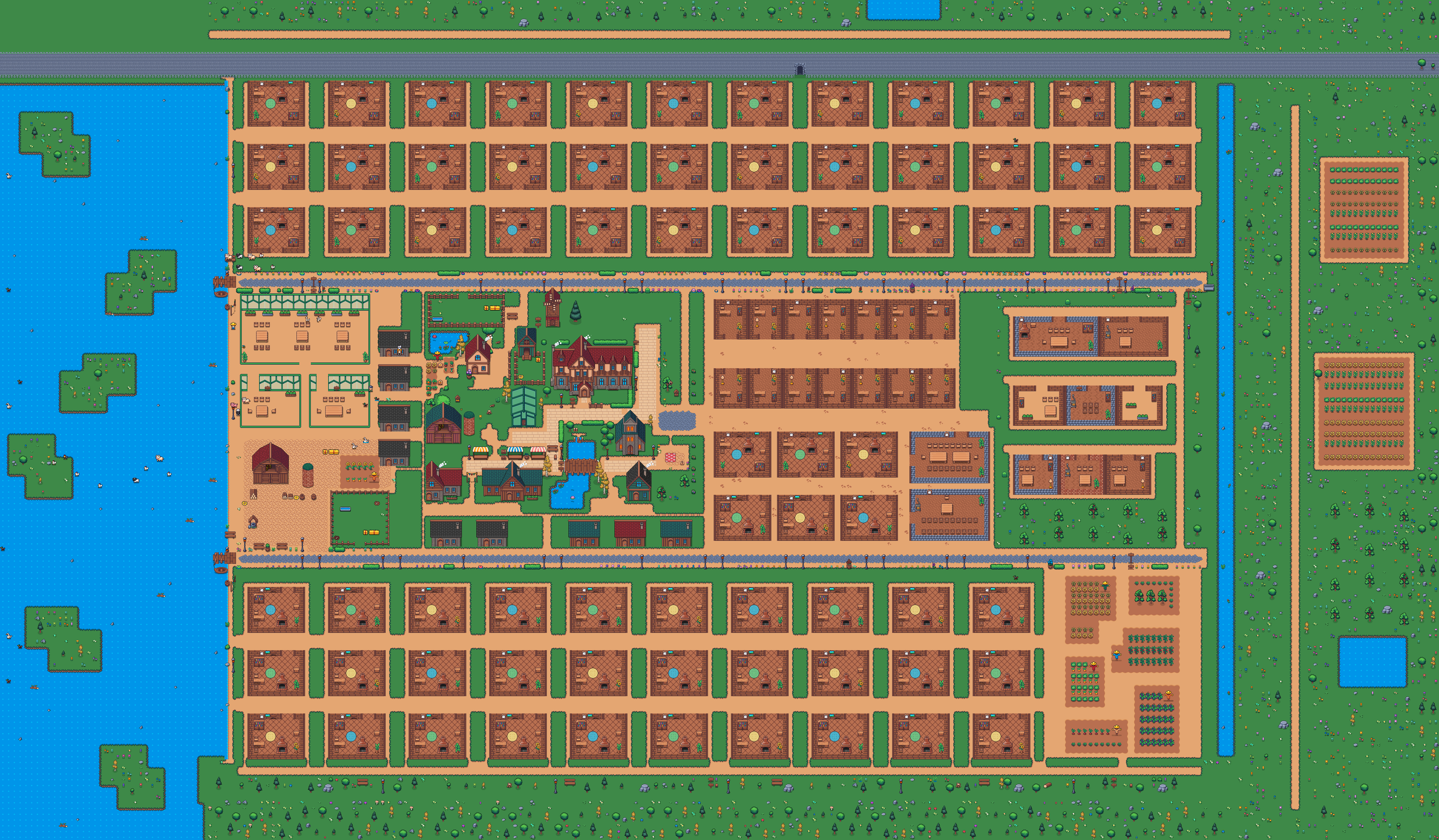
Use the arrow keys, or drag the dot along the square. Two colleagues are standing nearby. Watch how loud each one is as you pass.
The village square, with a barn and a silo on the left, three market stalls and a pond on the right.
- Ana78%Fadingfrom the left
- Theo35%Fadingfrom the right
The numbers come from the same falloff table the office runs on.
Rooms
Rooms that close the door.
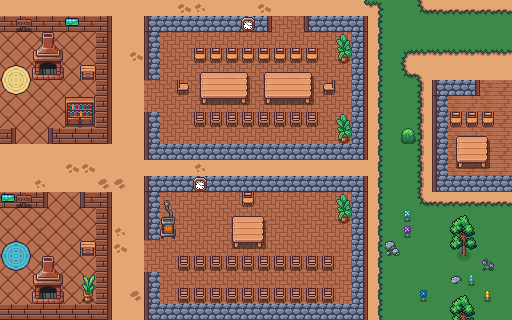
Step into a room and everyone inside hears each other clearly, however far apart they stand. Nobody outside hears a word.
Everyone hears everyone
Inside a room, distance stops mattering. Everyone in it is at full volume and full video quality.
A room knows its size
A room can say how many people it holds. When it is full, the next person is told so at the door.
Lock the conversation
Inside a room, press Lock this conversation and the door is bolted. Only the person who locked it can open it again; everyone else knocks.
Knock, and be let in
A room locked for a conversation can be knocked on. Anyone inside can let you in, and you walk straight in.
Your desk
A desk that is yours.
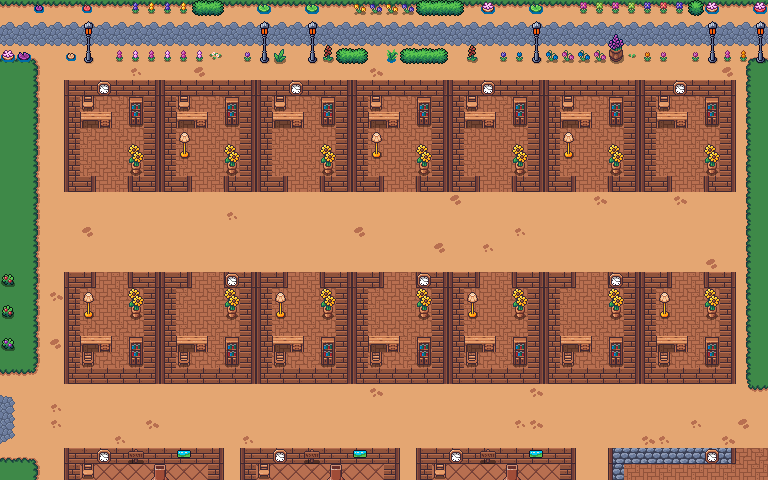
Walk up to a free desk and press Claim. Your name goes on it, and from anywhere on the map one shortcut walks you back to it.
⌘ D walks you to your deskCtrl D on Windows
One desk per person
Pick any free desk on the floor. It stays yours until you give it up, and nobody else can take it.
Make it yours
Four pieces and a colour on your desk, so you can spot it from across the floor.
Someone comes by
Step away and, when a colleague walks up to your desk, the office tells you who. Walk back if you want to talk.
A note or a gift
Leave a note or a gift on a colleague's desk for them to find.
Transcripts
Meetings you can read back.
Nothing is written down unless someone in the meeting asks. When they do, everyone in the room is included by default, and leaving your own words out is one tap away.
Only when someone asks
A meeting is written down only when a person in it starts the transcript. There is no always-on recording.
Everyone in, one tap out
Everyone in the room is included from the first sentence. Leave my words out sits on the notice, and your words stay out.
A summary, and action items for each person
Afterwards: what was said, what each person's part was about, and what each person said they would do, and by when.
Only the people who were there
Nobody else can read it — not an admin, not the room's owner. Guests' words are never written down. Transcripts are deleted after 90 days.
Guests
One link. No account.
Make a link to a meeting room and send it. Your guest opens it, types their name, and they are in. No account, nothing to install.
- You choose how long the link lasts and how many visits it allows.
- A guest stays in the room they were invited to.
- You can ask that someone lets them in before they can talk.
- Guests never count on your bill.
$0
per guest
Always.
The little things
Everything else that makes it feel like an office.
Status
Around, busy, away, at lunch, do not disturb — and for how long.
Reactions
Wave, heart, confetti, thumbs up, clap. Each has its own key.
Push to talk
Turn it on in Settings and your microphone opens only while you hold Space.
Chat
Message a channel or one person. A room's chat belongs only to the people who were in it.
Files
Attach a file to any message, and download a channel's messages as a file.
The feed
Waves, reactions and people coming and going, as they happen.
Notifications you control
A wave, a knock or a message reaches you in another window — and you choose which, in your settings.
Try the office with your team.
30 days free. No card needed. Guests are always free.
From $12 per member, per month, billed yearly — or $15 billed monthly.
Prices in US dollars.